

Build Your First Crypto Mining Rig: A Beginner’s Guide
You want to mine crypto, but every time you research it, you hit a wall of jargon, conflicting advice, and scary electricity bills. Should you buy an ASIC or build a GPU rig? Will you actually make money, or just run up your power costs? These are real concerns, and they stop a lot of people before they even start. The good news is that building your first mining rig is absolutely achievable when you understand the key decisions upfront. This guide walks you through every step, from choosing your hardware to calculating real profitability for both Bitcoin and altcoins in 2026.
Table of Contents
- What you need for your first mining rig
- Step-by-step guide: Building your mining rig
- Calculating profitability and ROI
- Setup, maintenance, and troubleshooting
- The uncomfortable truth most first-time miners overlook
- Get started with the right mining hardware
- Frequently asked questions
Key Takeaways
| Point | Details |
|---|---|
| ASIC vs GPU | ASICs are efficient for Bitcoin, but GPUs offer flexibility for mining altcoins. |
| Power cost impacts profit | Successful mining hinges on cheap electricity, ideally under $0.06 per kWh. |
| Calculate ROI first | Always estimate profits using your local rates and rig efficiency before investing. |
| Maintenance is crucial | Routine cleaning and monitoring prevent failures and extend your rig’s lifetime. |
| Security first | Always use secure wallets and monitor temperatures for reliable mining operations. |
What you need for your first mining rig
Having set the expectation, let’s clarify exactly what you’ll need before you begin. The single biggest decision you’ll make is choosing between an ASIC miner and a GPU rig. These are fundamentally different tools, and picking the wrong one for your goals wastes money fast.
ASIC vs. GPU: Which is right for you?
An ASIC (Application-Specific Integrated Circuit) miner is a device built to do one thing only: mine a specific cryptocurrency algorithm at extreme efficiency. The Bitmain Antminer S21, for example, mines Bitcoin’s SHA-256 algorithm faster and more efficiently than any GPU ever could. However, ASICs dominate Bitcoin but are inflexible, meaning if Bitcoin mining becomes unprofitable, you can’t pivot to a different coin.
A GPU rig uses graphics cards, the same hardware gamers use, to mine a variety of algorithms. GPU rigs are suitable for altcoins like Ergo, Ravencoin, Kaspa, and Monero, and they give you the flexibility to switch coins as profitability shifts. They also hold resale value better, since you can sell the graphics cards individually. The tradeoff is lower raw efficiency compared to a purpose-built ASIC.
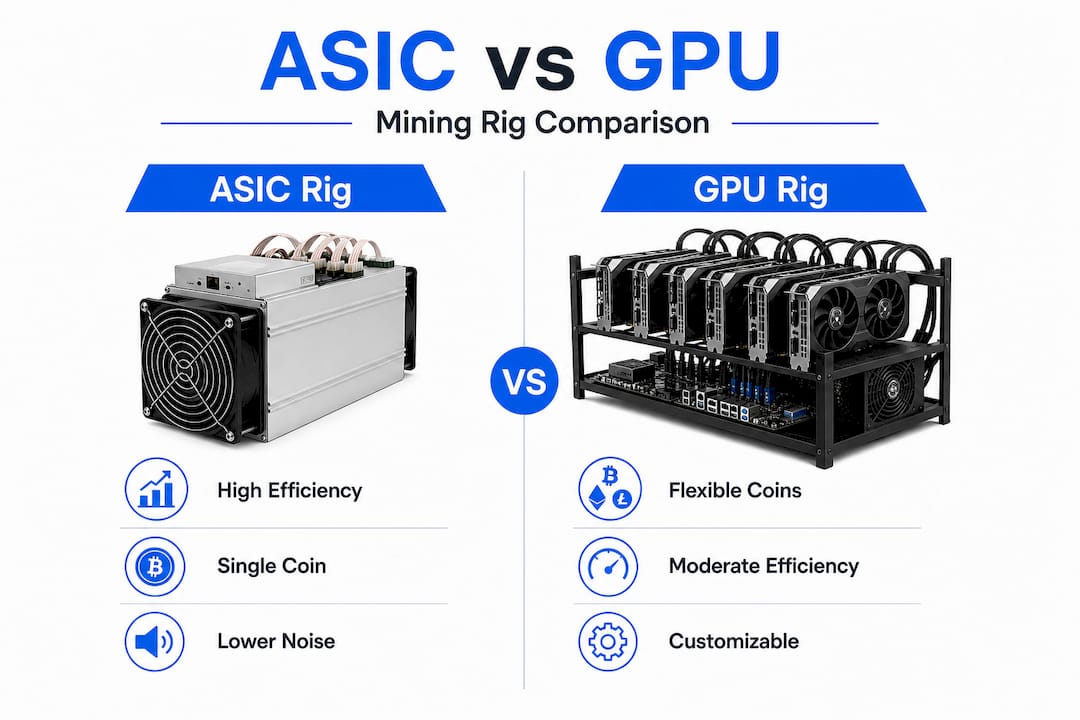
| Feature | ASIC miner | GPU rig |
|---|---|---|
| Efficiency | Extremely high | Moderate |
| Flexibility | Single algorithm | Multiple coins |
| Entry cost | $1,500 to $10,000+ | $1,000 to $2,500 |
| Resale value | Low (coin-specific) | Higher (general hardware) |
| Noise and heat | Very high | Moderate to high |
| Best for | Bitcoin, Litecoin, Kaspa | Altcoins, experimentation |
Essential hardware for a GPU rig
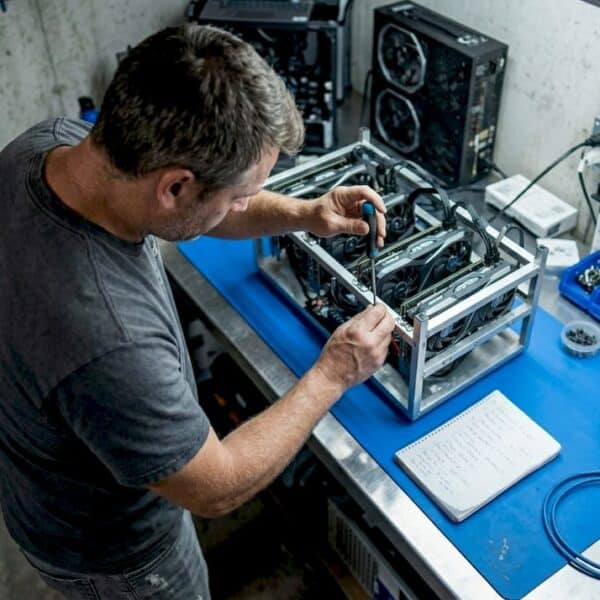
If you go the GPU route, a standard 6-GPU setup requires a motherboard with enough PCIe slots, six graphics cards, powered risers (PCIe extenders), a power supply unit rated above 1000W, a CPU, RAM (4GB is usually enough), a small SSD for the operating system, and a mining frame to hold everything. You’ll also need a secure crypto wallet before you ever earn your first coin.
Here’s a quick component checklist:
- Motherboard: Mining-specific boards (like those from Asus or Biostar) support 6 to 12 GPUs
- GPUs: AMD RX 6600 or Nvidia RTX 3060 are popular mid-range choices
- PSU: 1200W to 1600W platinum-rated unit for efficiency
- Risers: USB 3.0 PCIe risers to connect GPUs to the motherboard
- Cooling: Case fans or open-air frame with directed airflow
- Wallet: Hardware wallet or reputable software wallet for your mined coins
For Bitcoin mining specifically, check out the available ASIC miner options to compare efficiency ratings and costs before committing. You can also browse top home ASIC miners to see what’s currently popular among home miners.
Step-by-step guide: Building your mining rig
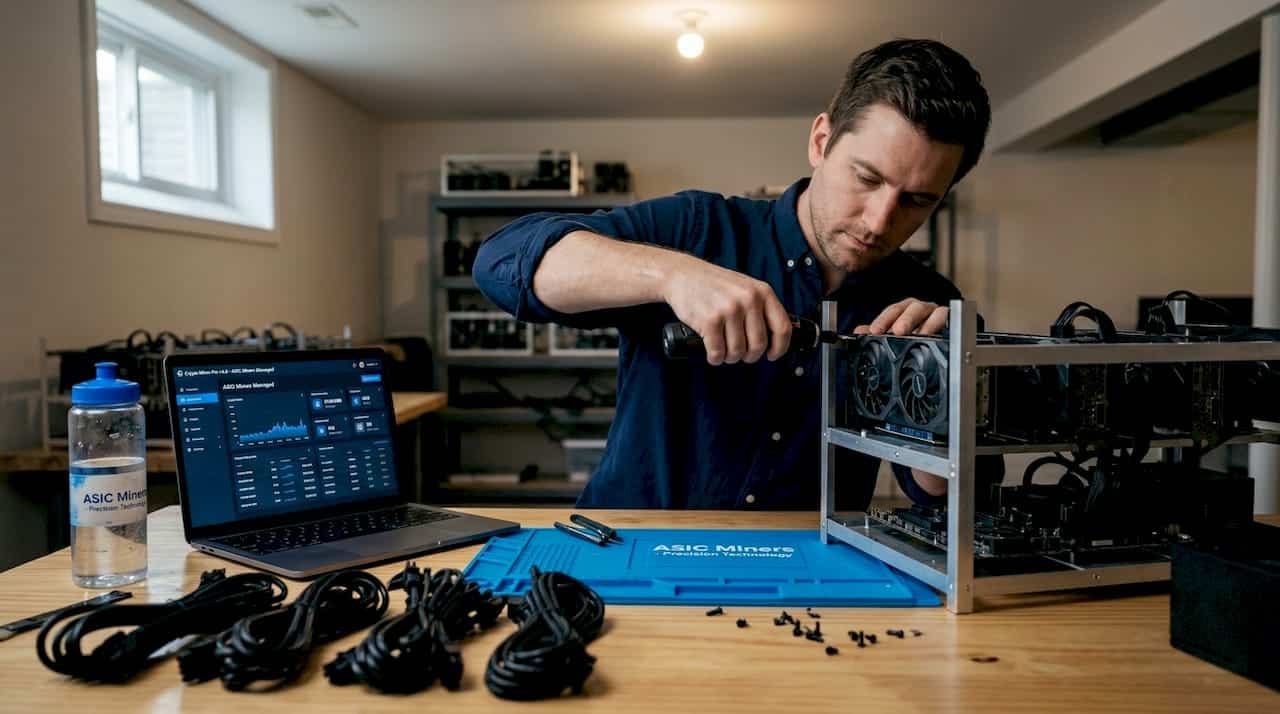
Now that you know what components you need, here’s how to put everything together step by step. A first-time build typically takes three to five hours if you’ve laid everything out in advance and read the motherboard manual.
- Assemble the frame. Mount your open-air mining frame on a stable, non-carpeted surface. Keep it away from walls to allow airflow on all sides.
- Install the CPU and RAM. Seat the CPU in the motherboard socket, apply thermal paste, attach the CPU cooler, and insert the RAM sticks.
- Mount the motherboard. Secure the motherboard to the frame using standoffs to prevent short circuits.
- Connect the PSU. Attach the 24-pin ATX power cable, the CPU power cable, and leave the remaining cables loose for the GPUs.
- Install risers. Plug each riser’s PCIe x1 end into a motherboard slot, then connect the riser’s power cable to the PSU.
- Mount and connect GPUs. Seat each GPU onto a riser board, secure it to the frame, and connect the GPU power cables from the PSU.
- Install the SSD. Connect your small SSD via SATA and install your mining OS (HiveOS and RaveOS are popular free options).
- Set up cooling. Position case fans to push air across the GPUs in a consistent direction, intake from one end and exhaust from the other.
- First boot and BIOS settings. Enable 4G decoding, set PCIe to Gen 1 or Gen 2, and confirm all GPUs are detected.
- Configure mining software. Enter your wallet address, choose your mining pool, and start the miner.
Pro Tip: Always use a wired Ethernet connection instead of Wi-Fi. A dropped connection interrupts your mining session and can cause you to lose submitted shares, directly cutting your earnings.
Build time and what to expect
| Task | Estimated time |
|---|---|
| Frame assembly and component layout | 30 to 45 minutes |
| CPU, RAM, and motherboard install | 30 minutes |
| PSU and riser connections | 45 minutes |
| GPU mounting and cabling | 60 to 90 minutes |
| OS install and BIOS setup | 45 minutes |
| Mining software configuration | 30 minutes |
If you’re leaning toward an ASIC instead of a GPU rig, the setup is much simpler. The Antminer AL1 for altcoins like Alephium, for instance, arrives pre-assembled and only needs a power connection, Ethernet cable, and a quick web interface configuration. You can also compare top-selling home ASICs to find a plug-and-play option that fits your space and budget.
Calculating profitability and ROI
After your rig is built, it’s crucial to decide if your setup can actually make money. Here’s how to check before you commit to running it full time.
The electricity rate threshold
This is the number that determines everything. Bitcoin home mining profitability requires electricity below $0.05 to $0.06 per kWh. Above $0.08 per kWh, most rigs lose money after the 2024 halving. The average US residential electricity rate sits around $0.16 per kWh in 2026, which means most home Bitcoin miners are operating at a loss unless they have access to cheap industrial power or renewable energy.
Post-halving efficiency requirements
The April 2024 halving reduced the Bitcoin block reward to 3.125 BTC. Post-halving profitability now hinges on running hardware with efficiency under 17 joules per terahash (J/TH) combined with cheap power. The Antminer S21 Pro, for example, achieves around 15 J/TH, placing it in profitable territory at low electricity rates. Older machines like the S17 at 40+ J/TH are essentially obsolete for Bitcoin mining in the current environment.
Sample profitability calculation
Here’s a simplified example to illustrate the math:
| Metric | ASIC (S21 Pro) | GPU rig (6x RTX 3060) |
|---|---|---|
| Hashrate | 234 TH/s | ~180 MH/s (Kaspa) |
| Power draw | 3510W | ~900W |
| Daily power cost at $0.06/kWh | $5.05 | $1.30 |
| Estimated daily revenue (2026) | ~$8.00 to $12.00 | ~$2.00 to $4.00 |
| Estimated daily profit | ~$3.00 to $7.00 | ~$0.70 to $2.70 |
Note: Revenue figures fluctuate with coin price and network difficulty. Always recalculate monthly.
Key profitability factors to track:
- Your exact local electricity rate (check your bill, not national averages)
- Current coin price and network difficulty
- Hardware efficiency rating in J/TH or W/MH
- Pool fees (typically 1% to 2%)
- Hardware purchase cost and target payback period
Use the S19K Pro calculator to run real numbers on your specific hardware and electricity rate. If you’re interested in altcoin mining, the best Kaspa miners page breaks down current efficiency leaders for the KAS algorithm. You can also review the Bitmain Antminer overview to compare the full lineup of Bitcoin miners by efficiency tier.
Setup, maintenance, and troubleshooting
Once you’re calculating profit and operating, routine maintenance and troubleshooting keep your rig running optimally. Most rig failures aren’t hardware defects. They’re the result of neglect, overheating, or skipped software updates.
Configuring your mining software
For GPU rigs, HiveOS is the most popular choice because it manages multiple GPUs from a single dashboard, supports overclocking profiles, and sends alerts when a card crashes or drops below expected hashrate. For Bitcoin ASICs, the built-in web interface handles pool configuration, fan speed, and performance monitoring directly from your browser.
Always configure at least two mining pools as backup. If your primary pool goes offline, your rig continues mining on the secondary without interruption.
Wallet security basics
“Never store mined coins on an exchange wallet. Use a hardware wallet or a non-custodial software wallet where you control the private keys. One exchange hack or insolvency event can wipe out months of mining income.”
This isn’t theoretical. Miners who kept funds on exchange wallets have lost everything during high-profile collapses. Set up your wallet before you start mining, and transfer earnings regularly rather than letting them accumulate on the pool.
Routine maintenance checklist:
- Weekly: Check GPU temperatures in software (keep below 80°C under load)
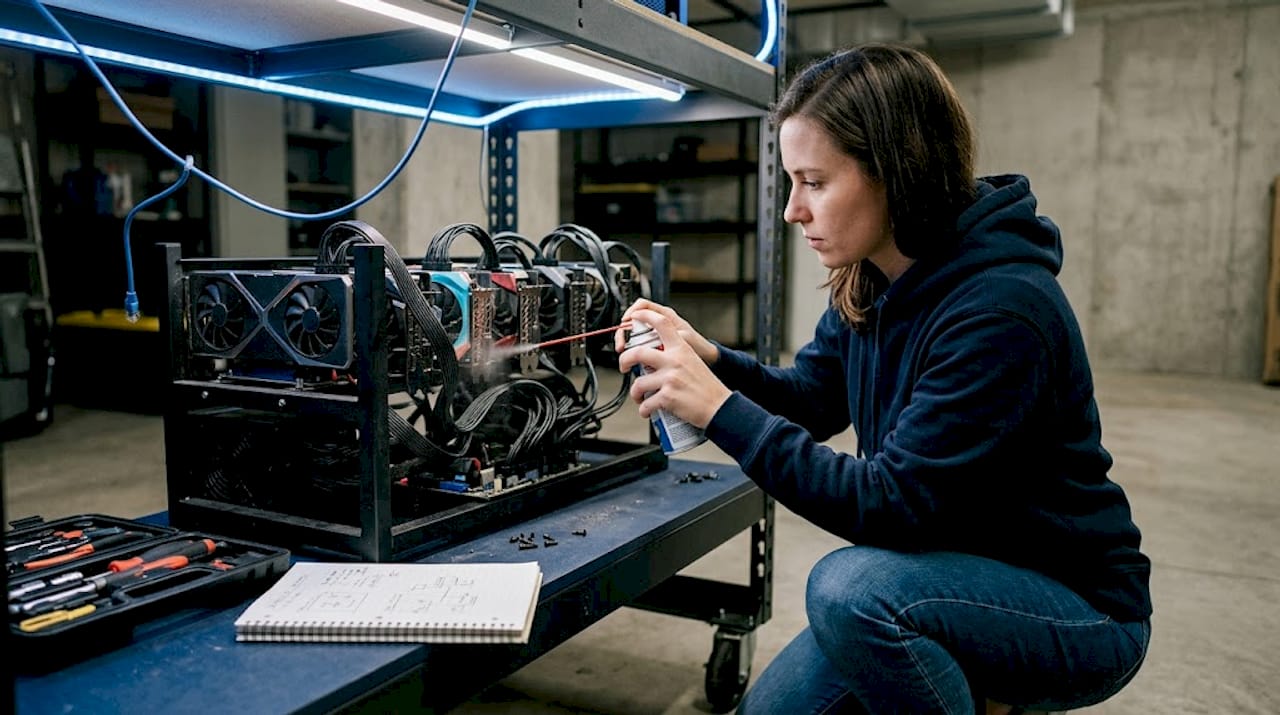
- Monthly: Blow out dust from fans and heatsinks with compressed air
- Monthly: Review hashrate logs for any cards showing declining performance
- Quarterly: Reapply thermal paste on GPUs running consistently hot
- Ongoing: Keep mining OS and driver versions updated
Pro Tip: Set up temperature alerts in your mining software. A GPU running above 85°C for extended periods will throttle performance and shorten its lifespan significantly. A $10 alert notification can save a $400 graphics card.
Expert guidance on Bitcoin home mining consistently emphasizes monitoring hashrate and temperatures, using wired Ethernet, securing your wallet, and maintaining hardware regularly to prevent dust and heat failures. These aren’t optional extras. They’re the difference between a rig that runs for three years and one that fails in six months.
For ASIC-specific maintenance, the S21 review and maintenance guide covers fan replacement intervals, firmware update schedules, and how to interpret the built-in diagnostic logs.
The uncomfortable truth most first-time miners overlook
Stepping back to reconsider your long-term strategy can save you time and money, and bring real mining success. Here’s what we’ve seen trip up beginners more than any hardware issue.
Most new miners make the same mistake: they spend too much chasing the most powerful hardware on the market, then get hit with an electricity bill that wipes out their earnings. The mining forums are full of people who bought top-tier ASICs at launch prices, only to find that the hardware paid for itself on paper but their local power rate made it a money-losing operation from day one.
Efficiency beats raw power every single time. A miner running a moderately efficient machine at $0.04/kWh will outperform someone running the fastest ASIC at $0.12/kWh. The math is that simple and that brutal. Before you buy anything, calculate your break-even electricity rate, not your expected revenue.
The second trap is chasing hype. Every few months, a new coin surges and miners flood into it, driving up network difficulty until profitability collapses. By the time most beginners hear about a hot new coin and set up to mine it, the window has already closed. The miners who consistently profit are the ones who identify opportunities early, run lean operations, and don’t panic-switch every time a new coin trends on social media.
Small, incremental upgrades beat big one-time bets. Start with one or two machines, learn the software, understand your real costs, and then scale. A miner who starts with a single efficient ASIC and optimizes it fully will learn more in three months than someone who builds a 12-GPU rig and spends all their time troubleshooting.
Finally, the community matters more than specs. Join mining forums, Discord servers, and Reddit communities. The people who’ve been mining for three to five years have already made the expensive mistakes you’re about to make. Their knowledge is free. Use it.
Read through the ASIC home miner advice section before you finalize any purchase. It covers the efficiency thresholds and cost considerations that separate profitable home miners from those who quit after three months.
Get started with the right mining hardware
When you’re ready to select your rig, reliable resources make all the difference. Choosing the wrong hardware at the wrong price is the most common and most expensive beginner mistake in crypto mining.
At ASIC Miners, we stock a full range of hardware for both Bitcoin and altcoin miners, from entry-level units to high-efficiency machines for serious home operations. Whether you’re looking at S19K Pro profitability to evaluate a proven Bitcoin miner or comparing the full Bitmain Antminers lineup to find the right efficiency tier for your power rate, we have the specs, pricing, and support to help you decide with confidence. Our team is available to answer questions about setup, compatibility, and shipping, so you’re never figuring it out alone.
Frequently asked questions
How much does it cost to build a crypto mining rig?
A basic GPU mining rig for altcoins typically costs $1,000 to $2,000 for a 6-GPU setup including motherboard, risers, and PSU, while ASIC rigs for Bitcoin generally start at $1,500 and scale to $10,000 or more for top-tier models.
Is it still profitable to mine Bitcoin at home in 2026?
It depends heavily on your electricity rate. Bitcoin mining profitability at home typically requires power costs below $0.05 to $0.06 per kWh, which is below the average US residential rate, making location and power access critical factors.
What are common mistakes when building a mining rig?
Underestimating power requirements, setting up inadequate cooling, and skipping wallet security are the most frequent errors. Monitoring hashrate and temperatures while keeping hardware clean and updated prevents the majority of failures.
Can I switch coins if I build a GPU rig?
Yes, GPU rigs let you mine multiple altcoins and adapt as profitability changes. GPUs offer versatility for altcoins like Kaspa, Monero, and Ravencoin, with the added benefit of resale value if you decide to exit mining entirely.